
Solutions · Track 04 · Interactive space
A space that responds to people
Interactive walls, installations and stations that react to movement, touch or proximity. For a one-off event or a permanent space.
Start an installation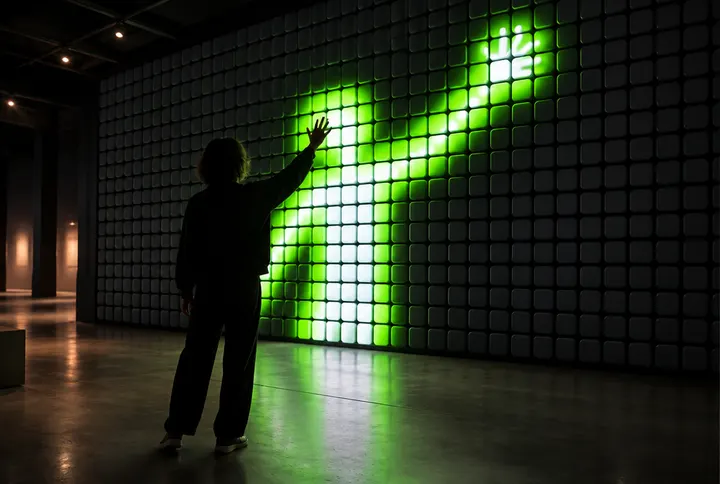 Illustration
vinet has been building event interactions since 2013: hundreds of activations at fundraising events and conferences, around the world. About
What's included
- Concept and contentWhat happens when someone steps closer
- Sensors and camerasMatched to distance and lighting in the space
- Screens and projectionLED, projection or touch screens
- On-site install and testingLocal computer, calibration and run
What we need from youDimensions of the space, lighting conditions, audience distance from the screen, and what already exists on site.
Live production
When it happens in a real hall
A browser demo is a taste. A live production needs a few more things, and we plan them from the start.
Operator mode
A separate control screen for whoever runs the event: start, pause, move between stages and change the pace in real time.
Network checks
We check the network, the screen and the connection in the hall before the event, instead of finding problems once the audience is in.
Recovery mode
If a connection drops or a screen freezes, there is a defined way back to a stable state. Participants rejoin by scanning again.
Fitting the space
For installations: sensor or camera, distance, lighting and a local computer. Matched to each space and tested on site.
How we work
From the first conversation to it working
You bring the need, the knowledge and the vision. We turn them into a plan, a design and a build, with checkpoints along the way.
- 01
First conversation
Tell us the idea, who will use it and when. No spec needed, and no need to know which technology to pick.
- 02
Brief and scope
Three short questions and a summary you approve. Only once we understand the scope do we set a price and a schedule.
- 03
Prototype of the key moment
Before building everything, we show the moment the project leans on: a screen, a journey or a touch. We adjust while changes are still cheap.
- 04
Build and test
We develop, connect to your existing systems and test on the relevant devices. For events we also test under show conditions.
- 05
Launch
We go live in an orderly way, show whoever will run or update it how to use it, and check everything works before the audience arrives.
- 06
Responsibility after launch
Who maintains it, who is available during an event, and what the support covers: we agree this in the proposal, up front.
Other tracks
Your vision. Made real.
Come with an idea. Or come with a problem
Three short questions, and a summary you approve before it is sent. We get back to you once we understand the scope.
Got it
Your message is with us. We will get back to you soon.